1
Download & Extract
Click the Download Extension ZIP button at the top to download the bundle, and extract it on your computer. (Or clone it from GitHub).
2
Open Extensions
Open Google Chrome, type chrome://extensions/ in the URL bar, and hit Enter.
3
Enable Developer Mode
Toggle the Developer Mode switch located in the top-right corner of the Extensions dashboard.
4
Load Unpacked
Click the Load unpacked button in the top-left and select the extracted HeyGen-Pro folder containing the compiled extension code.
5
Open Side Panel
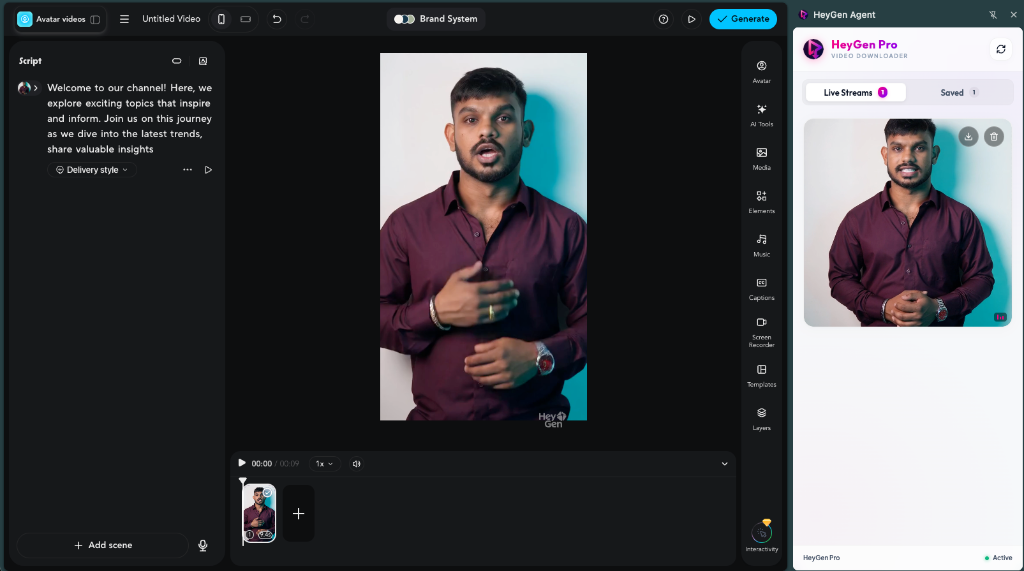
Go to your HeyGen project editor (https://app.heygen.com/create-v4/...). Click the extension icon in your Chrome toolbar to open the side panel.
6
Play & Auto-Save
Type your script and play any video preview in the editor. The extension will instantly detect, capture, and download the clean watermark-free video!